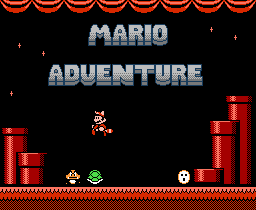
 Just yesterday I had the opportunity to conduct an email interview DahrkDaiz, creator of the impressive hack Mario Adventure. Mario Adventure is a completely new Mario game made from modifications to the Super Mario Bros. 3 game engine for the NES. The game was the subject of a recent piece on VC&G and has proven to be quite popular now that it has been given wider attention on our site.
Vintage Computing and Gaming: Thank you for agreeing to this interview. First off, where are you from?
DahrkDaiz: Knoxville, Tennessee
VC&G: What do you do for a living?
DD: I’m currently a student at ITT-Tech and working full time at a fast food restaurant.
VC&G: Do you aspire to be a professional game designer?
DD: I hope so one day but in reality I know game design is a tough field to crack, so I’ll continue to pursue the dream in my spare time while focusing on a realistic programming career, working for businesses to make a living.
VC&G: What’s your favorite video game? Favorite Mario game?
DD: A tie between Sonic 3 & Knuckles and SMB3. [Favorite Mario Game:] SMB3, no surprise there.
VC&G: What inspired you to make Mario Adventure?
DD: The total lack of a proper Mario sequel. I was disappointed with the Mario Advance series and I saw other people’s attempt at creating a new SMB3 experience and decided to take the matter into my own hands.
VC&G: Mario Adventure has been very popular on VC&G. It been downloaded over 11,000 times from our site in the last few days. Is there anything you’d like the players of Mario Adventure to know or keep in mind while playing?
DD: This hack was made with the hardcore SMB3 player in mind. I could practically beat the original with my eyes closed and figured it was time to up the difficulty. However, I tried to include ways to pass hard obstacles easily. Use your power-ups to their fullest abilities and you should do fine getting through the game.
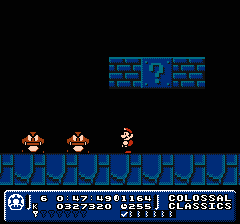 VC&G: What’s your favorite new feature of Mario Adventure? Also, what’s your favorite world in the game?
DD: Definitely the key collecting idea. I always liked having to back track through levels or world to get something out of the way to continue in a game. Point A to point B grows old quickly. [Favorite World:] Colossal Classics. The giant nostalgic look just has something about it that pleases me. Though I thought I could have a slightly better job with it.
VC&G: What development tools did you use to create Mario Adventure?
DD: FCEUd (emulator with an excellent debugger), YY-Chr (graphics editing), Mario 3 Improvement (archaic SMB3 level editor), Hex Workshop (hex editor).
VC&G: How long did it take you to complete Mario Adventuree?
DD: Approximately 16 months.
VC&G: Was reverse engineering the Super Mario Bros. 3 Game engine and implementing new rules, power-ups, etc. difficult? Tell us more about how you made changes to the Super Mario Bros. 3 game itself.
DD: At first it was very difficult. I slowly began to see a certain logic used behind the game. However, when reprogramming the code, I had to find unused space in the ROM, so that was pretty much hit and miss. Admittedly I did a poor job at coding it, hence all the bugs and glitches, but I did what I could with what knowledge I knew. A lot of time stepping through code and even writing code out on paper while at work during my break was required.
VC&G: Did you do all the level design in Mario Adventure yourself?
DD: Absolutely everything was done by me in this.
VC&G: Do you think Mario Adventure would work properly if somehow put on an actual hardware cartridge and played on a real NES/Famicom? Have you ever attempted this?
DD: Unfortunately, it will not. I reprogrammed the game to take advantage of a bug most emulators have, however, I did not realize at the time that it was a bug. The hack would work on a real NES, but not properly all time. The main bug being the status bar moving up over the screen at certain times.
VC&G: Have you ever heard from Nintendo about your Mario hacking exploits?
DD: Surprisingly, no.
 VC&G: Have you done any previous game hacking projects? If so, tell us about them.
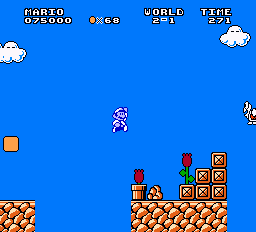
DD: Before Mario Adventure? No, but there were a few things I did while working on Mario Adventure and afterwards. Most of it is unknown unfinished test projects. I created a cool parallax (SNES style) background scroll in Mega Man 3 for Snake Man’s stage. I hacked Castlevania 3 to start and stay as Alucard. I completely hacked Ms. Pac-Man to have 32 unique levels, a mode to play levels at random and a pellet counter. This hack is known as Pac-Man 3 and will be available on my site once it relaunches.
VC&G: What can you tell us about your next hacking project? When will it be ready?
DD: I can tell you now the next big project is another SMB3 hack. Most people may sigh at this, but I took a different approach with this hack and differs from Mario Adventure. The scale is that, if not more than Mario Adventure. It makes Luigi and Mario be separate characters with each having special powers of their own for different gameplay, including Luigi’s floaty jump and slippery control and a new item box for Mario found in Mario Adventure. Each character has their own separate 8 worlds to play through, so this is literally two hacks in one. It’s like nothing you’ve ever seen.
VC&G: Is there anything else that you’d like our readers to know?
DD: Mario Adventure is a real gem, but I’ve listened to a lot of good and bad feedback on it and this new project I’m working on addresses those issues. But I like to thank everyone who’s played this hack and given so much praise for it. It’s really inspired me to take game development as a serious career.
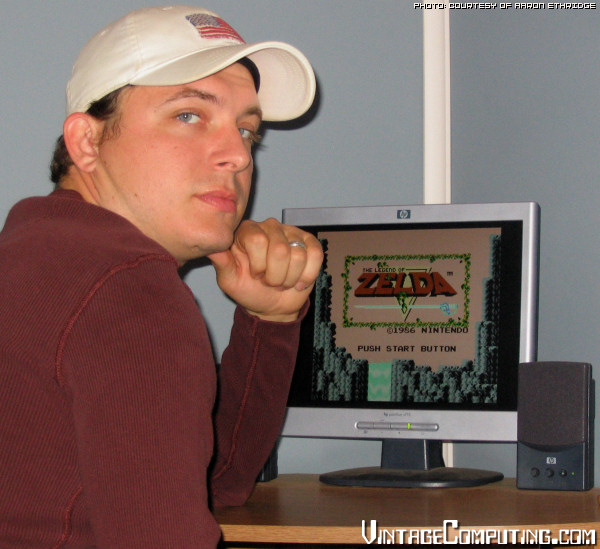 For those of you who don’t know, Console Classix (CC) is an online video game “rental service” of sorts that focuses on classic games. It beat GameTap to the punch by a number of years, and yet still remains relatively obscure. To go along with my VC&G review of that service, I recently conducted an interview with Console Classix’s President and co-founder, Aaron Ethridge, via email. He was generous in answering the many questions I posed to him, and I find his responses honest and fascinating. The following interview is long, but if you’re interested at all in CC, it’s well worth the read. His answers were edited for spelling, structure, and minor typos only; everything else is as he wrote it.
 [ Hacksterpiece Theatre is a regular column devoted to fun, odd, and interesting retro game hacks. ]
 There was only one problem with this otherwise excellent game: once you had finished it — exploring every nook, finding every secret, and collecting every power-up along the way — you had squeezed nearly every ounce of replay value out of the game. For years I wished so badly for a new Super Metroid, even if it were the exact same engine with a completely new world to explore. Well, my friends…in 2006, that wish was granted. Fans of this seminal work can explore the planet Zebes all over again in a new hack by Drewseph and crew called, quite simply, Super Metroid Redesign.
 Back in March on Vintage Computing and Gaming, I profiled what I called “
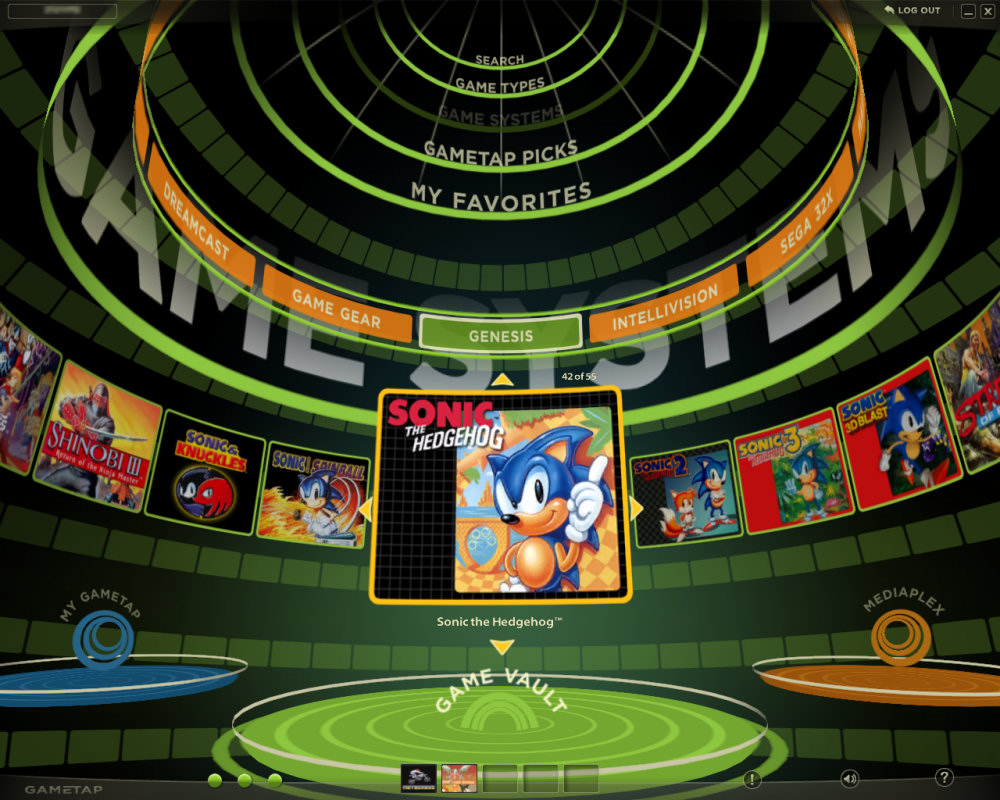
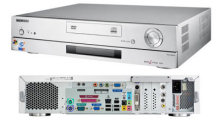 I have always wanted to build something that I like to call a “Universal Game System” (UGS). You could also call it the “ultimate game system,” since it would play all games for every game system ever released. Well, theoretically it could — with a powerful enough processor and the right emulators. That’s why I call it “universal.” But for now I’ll set my sights lower and stop at the N64 generation. The UGS itself would have a simple interface to launch every game, would have ports for every type of controller for each system (or at least a select few that could be used on most games), it would hook up to a TV, and it would require nothing more than a game controller to select the games and operate the interface. You, the user, would provide the ROMs and controllers, and the UGS would do the rest. I suppose this would be kinda like a making a “
 It is my goal to one day build one of these, but the requisite software is not quite together yet. I’m not aware of all the latest and greatest in the emulator scene, but maybe something that would help me build a UGS is in the works. I know about
  But the software is only half the battle. I also need a small, compact, quiet, and cool PC case that can hold the right cards for the I/O required, while also being able to hold a powerful enough processor to do the job (processor-generated heat is the main factor in dictating noise level and case size). Inside said box would be a versatile computer video card with an excellent composite or S-Video analog TV-out that looks good on regular old TVs. I’ve tried a few cards so far, but the video is always lackluster, and you have to reference a VGA monitor on the side to actually read what you’re doing (to select the games to play, etc.). As far as interfaces go, I plan on building a large controller interface box that has ten or more types of classic system controller ports that would all hook up to a USB connection, similar to
  [Editor’s Note: This article was written by Procyon as his first contribution to VC&G, with additional writing by RedWolf.]
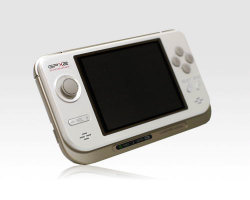
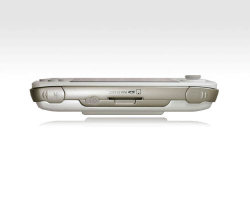 The GP2X uses Secure Digital media (aka SD cards) to store multimedia files and executable programs (games, emulators, etc). Putting an emulator on your GP2X is as simple as downloading one from the Internet, connecting your GP2X to your computer via USB, and transferring the necessary files to a SD card inside the GP2x. Alternatively, you can use any PC-compatible SD writer to write to an SD card, then place the card inside your GP2x. The GP2X has an eight-direction digital joystick, eight face buttons, and two shoulder buttons, making it ideal for nearly any emulated system configuration. It is capable of direct composite video output to a TV through the aid of the GP2X TV-out cable, and it runs (for better or worse) on two regular AA batteries. It’s backed by a 200MHz ARM CPU, coupled with a 200MHz dedicated 2D graphics accelerator, but how does it perform?
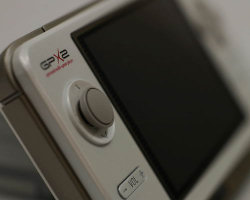 The GP2X is not perfect or without flaws. Many users have complained about the choice of a convex, mushroom-shaped cap that adorns the joystick. A particularly popular user on many of the GP2X forums has gone to the trouble to design, manufacture, and sell a concave replacement that has been highly rated by customers. Additionally, the battery life for the system is disappointingly short. Two ordinary alkaline batteries can be depleted in less than 2 hours. Users have generally opted to use rechargeable camera batteries that maintain a constant voltage through the lifetime of the battery, and their reusable nature certainly cuts down on replacement battery costs. When using these types of batteries, cordless play time can increase to just shy of 4 hours. An AC adapter is also available for purchase separately.
 Yeah, I know, this joystick is old news. It’s probably been reviewed dozens of times. But when it first came out, I didn’t have a Vintage Computing and Gaming blog. So now I get to play catch-up and review all kinds of nifty things I’ve been buying and collecting over the years, just to add another voice to the chorus of public opinion, and to help my fellow enthusiasts, of course. And in this case, I specifically wanted to review the
 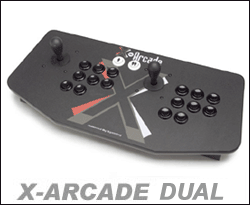 I bought my X-Arcade Dual over three years ago, and it has held up very well over the years. I originally used it with a PS/2 to USB adapter on my iMac to play arcade games in MAME. Then for a while I had a dedicated (if pathetic) MAME PC that I used the Dual with to play emulated arcade games, of course. I originally decided to get the Dual model so my buddy and I could play two-player games together (loads of fun and works great), but the extra joystick also comes in handy for games like Robotron: 2084 and Smash TV that use two joysticks in their original cabinets (one for movement and one to fire in a certain direction).