New Tech For Old Computers: A Call For Links
December 2nd, 2005 by Benj Edwards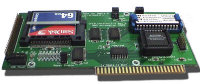 There are really only three groups of vintage computing and gaming enthusiasts out there. One is the purist, who wants to maintain, restore, and operate his vintage systems in a historically authentic manner, using only the technology available at the time, one is the devoted user, who doesn’t care how you use the computer, as long as it gets the job done (perhaps better and faster than before), and then there’s the tinkerer / hacker who just wants to play around and push old systems to, and beyond, their designed limits.
I’m setting up a special page on Vintage Computing and Gaming to include a collection of links to pages for projects and products involving the interfacing and integrating of modern computing and electronics technology to older computers or game systems — either to replace failure-prone parts, to enhance their functionality, or “just because you can.” It’s intended mainly for the tinkerer type, but it could also easily be of interest to the devoted user as well.
I’m asking my fellow vintage computing and gaming enthusiasts to come forward and help me assemble this resource for our fellow enthusiasts out there. Additions, corrections, and dead link notices by sources in the online world will be incredibly helpful towards achieving this goal. Feel free to suggest links on the comments section of the page, or to contact me directly using the email link on the VC&G sidebar. I’ll be working on improving the organization of the list as it grows, so don’t worry.
Here are some suggestions of appropriate things to submit to the page: Ethernet adapters for old computers, modern hard drive / compact flash interfaces, floppy emulators, software design for a modern use on an old machine (i.e. an Atari 800 web server, or an Apple II web browser), new controllers and peripherals for old gaming systems, significantly new peripherals for old computers, CPU upgrades, old computer OS hacks and upgrades, modern clones and replacements for old parts, computers, or game systems, etc. All in all, don’t worry; just submit it and if it applies, I’ll add it to the list. Thanks so much for your help in advance.




December 2nd, 2005 at 2:00 pm
I have a system setup that lets me hook up a compact flash card to my SNES, so that I can play games off of a compact flash card. Basically I use a system that is threaded like this:
SNES === SWCDX2 === DataTank === CF-IDE-Adapter
The SWCDX2 is the Super Wild Card DX2, which is a SNES game copier. It lets you dump games to 1.44MB floppy disks, and play games off of floppies. The problem is that SNES games can be too big to fit on one floppy, so even for one game, you need multiple floppies. The SWCDX2 has a parallel port that can be hooked up to an external parallel to IDE hard drive enclosure. The problem is that the hard drive can only be 2GB maximum, in size, and the entire SNES game collection is bigger than 2GB. Also, hard drives are hot and noisey. So my setup solves all of these problems. It is noise-less, cool, power efficient, and solid state, just like the SNES itself. Also, because of the setup, I now have a small slot that lets me insert and remove a compact flash card with a max size of 2GB. So just a few cards is all that it takes to have the entire SNES game library playable on my SNES.
December 2nd, 2005 at 3:16 pm
That’s awesome. I have a SWCDX2 too and I used to use a ZIP drive with it to have more games accessable at a time. So what is the “DataTank” in your line? Is that just your name for a parallel to IDE HD enclosure? Do you have any recommendations about how to get such an enclosure? I really need to get one of those so I can do what you do. I was just about to buy some IDE to CF adapters, so that will fit perfectly with the plan you mentioned.
December 5th, 2005 at 8:13 pm
The Datatank is a parallel IDE enclosure that uses the Kingbyte version 1 chipset, which is the only kind of parallel IDE enclosure that the DX2 supports. You can find them on Ebay, but I haven’t seen any for about half a year now. Here is a thread at CherryRoms detailing the parallel IDE devices that work with the DX2:
http://www.cherryroms.com/viewtopic.php?t=4260
You can also use SCSI devices with the DX2. I did a little research and came up with the info in this thread:
http://www.cherryroms.com/viewtopic.php?t=4488
Basically the DX2 supports several things: FAT12, FAT16, ISO9660, IDE, and SCSI. Though there are limitations, as stated in the above threads. The Zip drive support for the DX2 is actually via a parallel SCSI protocol, used by the chipset in DX2 compatible Zip drives. The cool part is that this same chipset can be purchased separately as a small SCSI to parallel adapter. With this, you can attach FAT16 formatted SCSI devices to your DX2. Interesting devices include, but are not limited to:
1. 250MB SCSI Zip drive
2. 1GB SCSI Jaz drive
…
So you aren’t limited to 100MB SCSI disks. There are limitations though. If you use the DX2 to format the device, it will result in a 100MB format, so you have to format the disks on a PC first, which isn’t a problem. Also, there are issues with using the DX2 to write to a format larger than 1GB. Others have tested 1GB Jaz disks without problems. I personally tested 2GB Jaz disks and had problems, though the DX2 could read the drive.
December 5th, 2005 at 8:17 pm
I should add that the preferred drive for the DX2 is a Kingbyte version 1 enclosure with an IDE-CF drive bay:
http://www.addonics.com/products/flash_memory_reader/adidecf.asp
As CF cards are inexpensive, common, solid state, noiseless, etc. But the Kingbyte enclosures such as the Datatank and Diskdual are hard to find. Hence the SCSI-parallel route via the Jaz Traveller (SCSI-parallel adapter) is easier to find the hardware for.
December 5th, 2005 at 10:13 pm
Cool, man. Thanks for the info. I actually have a SCSI Jaz Drive (my ZIP drives that I use with the DX2 are parallel), so that would be cool to use with the DX2 as well. Of course, a HD would be better. I’ll check out all your links and see what I can work out. Thanks again.
December 8th, 2005 at 2:02 pm
is it possible to connect a compact flash cars to the swc sms3201
March 4th, 2006 at 2:44 am
hi,
I’ve got a super wild card dx 32 and it is out order.
It normaly work in NTSC but there is a black image on my tv when I start it.
Inside the copier ( in the motherbord) there is some Jumpers (JP1,JP2 ….)
Some are ON and some are OFF.(open or close)
I know that’s for the configuration of the back up unit.
do you have more information, technical notice…….??????????
can you send me the original manuel
Please email reply lherot.ludovic@neuf.fr
Thanks and best regards.
Ludo
March 4th, 2006 at 2:44 am
hi,
I’ve got a super wild card dx 32 and it is out order.
It normaly work in NTSC but there is a black image on my tv when I start it.
Inside the copier ( in the motherbord) there is some Jumpers (JP1,JP2 ….)
Some are ON and some are OFF.(open or close)
I know that’s for the configuration of the back up unit.
do you have more information, technical notice…….??????????
can you send me the original manuel
Please email reply lherot.ludovic@neuf.fr
Thanks and best regards.
Ludo