Think Commodore: A New Commodore Site for Mac Users
Monday, June 5th, 2006 Søren Ladegaard recently sent me news of his new Commodore-related website. Sure, there are plenty of Commodore-dedicated sites out there, but this one has a twist — it’s geared exclusively towards Apple Macintosh users. He writes:
I have created a website called Think Commodore. It’s about everything Commodore 64 & Amiga such as emulation, games, demos, music etc. from a Macintosh perspective. While there are tons of sites about Commodore emulation for Windows users you’ll be surprised of the amount of sites along the lines of “last update 2002, Mac OS 8.5 required etc.” That’s why I decided to do a Commodore emulation site that’s 100% up-to-date.
I’ve created a real nice and active forum too. I was fed up with posting “Any Mac users out there?” on all the popular Commodore forums. Here’s your chance to join a Commodore forum where every user is a Mac user.
After poking around the site myself, I find it quite nicely designed and very informative. If you’re a Mac user and you love Commodore computers, be sure to check it out (www.thinkcommodore.com).

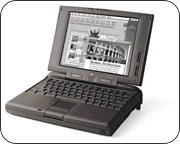 On Monday I did a hack of a NES that I will be posting an article about soon, but I’m already hungry for my next project. I’ve caught the hacking bug, I tell ya — since I finished my last project I’ve been compulsively and obsessively looking at every object in my house in a new way, asking myself “How can I chop that device into pieces and turn it into something more interesting?” Lurking in the bottom of a closet I found an ideal candidate for a hack: an old
 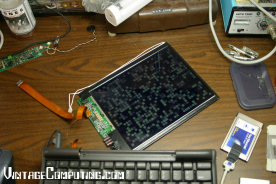 A lot of people are making their own digital picture frames out of old laptops these days (mounting a laptop screen in a picture frame with the computer behind it to hang on the wall and display a random picture slide show), but my 190 only has a 4-bit greyscale passive matrix display, so pictures won’t look too impressive on it. It would be cool to make a semi-permanent, wall-mountable installation out of it, but what would it display? Well, if I could get a reliable network connection to it, it could be a window on all kinds of things on the net, displaying activity from my MUSH, weather info, VC&G traffic statistics, news, or any number of things, as long as there is an application that runs in Mac OS System 7.5.2 to display it. My fiance suggested a permanent digital ant farm, which is a great idea, but I still haven’t found a program or screen saver for the classic Mac OS that simulates one in an aesthetically pleasing way. A friend of mine suggested that I put some form of Linux on it and then I could do all sorts of network-related things that are not as easily achieved in Mac OS 7. But putting Linux on a Mac this old and getting it to work — especially with some ethernet adapter — is a challenging project unto itself. So I’ve been tinkering and I’ve got some new ideas, but I’ll wait until I’m done to share them with you (I’ll give you a hint — well, kinda — just look at the picture above). Until then, I ask you: what should I hack my PowerBook 190 into? Ideas? Suggestions? Leave me a comment and we’ll talk!