 I found myself up in Boone, NC last week at a recently opened Goodwill store. Upon arriving, I quickly made my way back to the electronics section. The place was packed with an unusual surplus of wireless 802.11g network routers — something I’d never seen before in a thrift shop. Most of the items were overpriced, though.
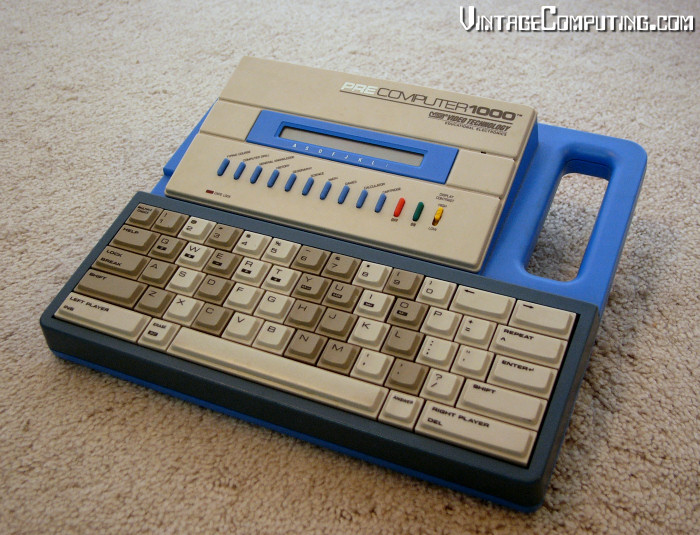
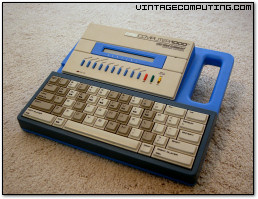
Among the dozen TVs and broken stereos on the sagging back shelves, I found a few gems. In the end, I walked away with a new, in-box controller for the forgettable HyperScan video game system ($2), a shrinkwrapped copy of Microsoft’s Return of Arcade ($4), and my most interesting find, a VTech PreComputer 1000 ($4). Believe it or not, but I’ve actually wanted a VTech Precomputer for some time. A handful of different toy and electronics companies produced a whole class of “educational” or kids’ computers in the 1980s that I’d like to collect. Most of the more sophisticated models have some version of BASIC built in, and the VTech PC1000 is no exception.
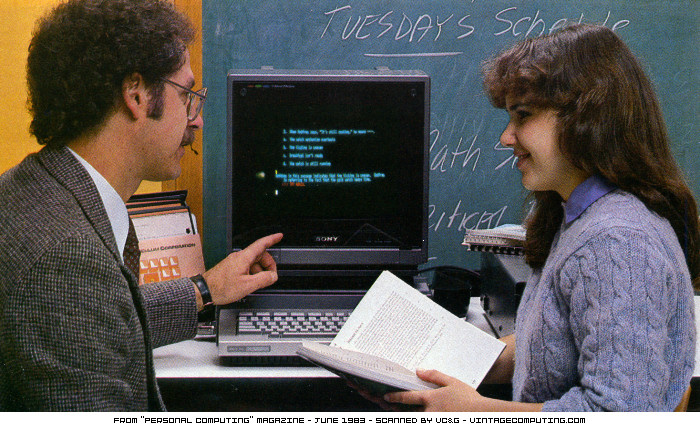
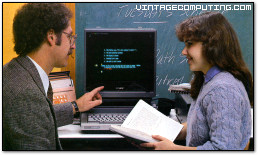 Back in the day, the BASIC programming language (or even Logo — remember the turtle?) was considered the best way to teach kids how to use a computer. They called the push to teach ordinary people how to use these machines “computer literacy” like we do today, but the methods of obtaining that literacy were different. For a time in the late 1970s and early 80s, educators, politicians, technologists, and pundits in major publications around the U.S. worried that every citizen would have to know how to program a computer or they’d be left out of the computer revolution, and thus, the future. After all, if you want to tell a computer to do something, you have to program it, right? How else are you going to get it to do what you want? It seems strange to us now that they didn’t realize that we’d all be running other people’s programs instead (Microsoft did, of course). That popular perception began to shift after the release of the Macintosh in 1984, but the change didn’t fully get here until the mid-1990s. Now we teach people how to use Microsoft Word. By golly, if someone doesn’t know how to program complex and obtuse Word macros, how will they ever be able to create a competitive résumé? In a way, not much has changed.
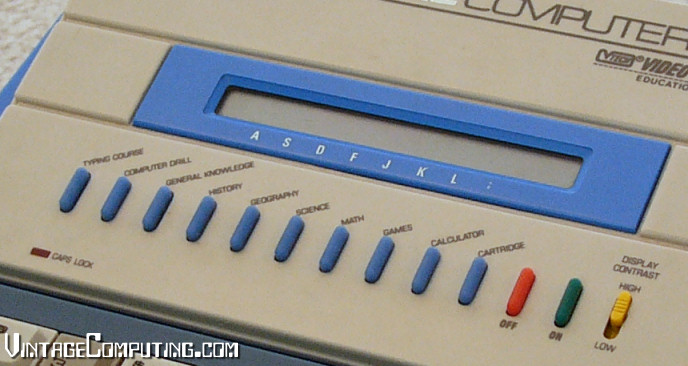
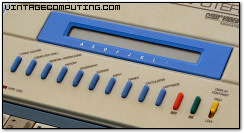 Anyway, back to the PreComputer. I disassembled the unit today to see what makes it tick. As I suspected, the unit’s CPU is a Z-80 clone, the Toshiba TMPZ84C00AP. I also spotted the prominently marked Video Technology (VTech) ROM on the motherboard which contains built-in trivia games in subjects like history, geography, and science, calculator functionality, Hangman, and a typing course. One of the rubber-button options on the PC1000 is “Computer Drill,” which lets you look at nine built-in sample BASIC programs or program in “Pre-Basic 1.0” yourself. Although the PC1000’s twenty-character, one line LCD display is quite limiting, it’s still a compelling feature that’s fun to play with. And heck, the thing has an impressive full-stroke QWERTY keyboard with insert and delete keys. It’s almost as if the PreComputer’s designers were begging for their creation to be used for more than meets the eye.
I don’t have the manual for the PreComputer, so I have no idea if it can save your programs temporarily in memory, or the extent to which its interpreter supports traditional BASIC commands. I’d particularly like to know how to print to the LCD screen without the automatic pause after each line, if that’s possible. If anyone has a copy of the manual for this and can scan it or type it up for me (especially the section on BASIC), I would be much obliged. Did anyone out there have one of these as a kid? I’d love to hear from you in the comments section.
[ Update: 07/30/2007 – Many generous thanks to Chris Ball for obtaining, scanning, and providing the BASIC section of the PreComputer 1000 instruction manual. You can download all the pages in high resolution JPEG format here (25 MB). Be warned, though: the file is big. Thanks again, Chris! ]

 Having recently fallen upon hard times (I’m saving up for a new Mac), I found it necessary to trim some fat from my monthly budget. Naturally, funds for groceries took precedence over gaming luxuries like
  quite a hassle, requiring a phone call to GameTap support, a long wait on hold, and an annoying chat with a customer service representative who tries to tell you what you are really thinking. And according to the